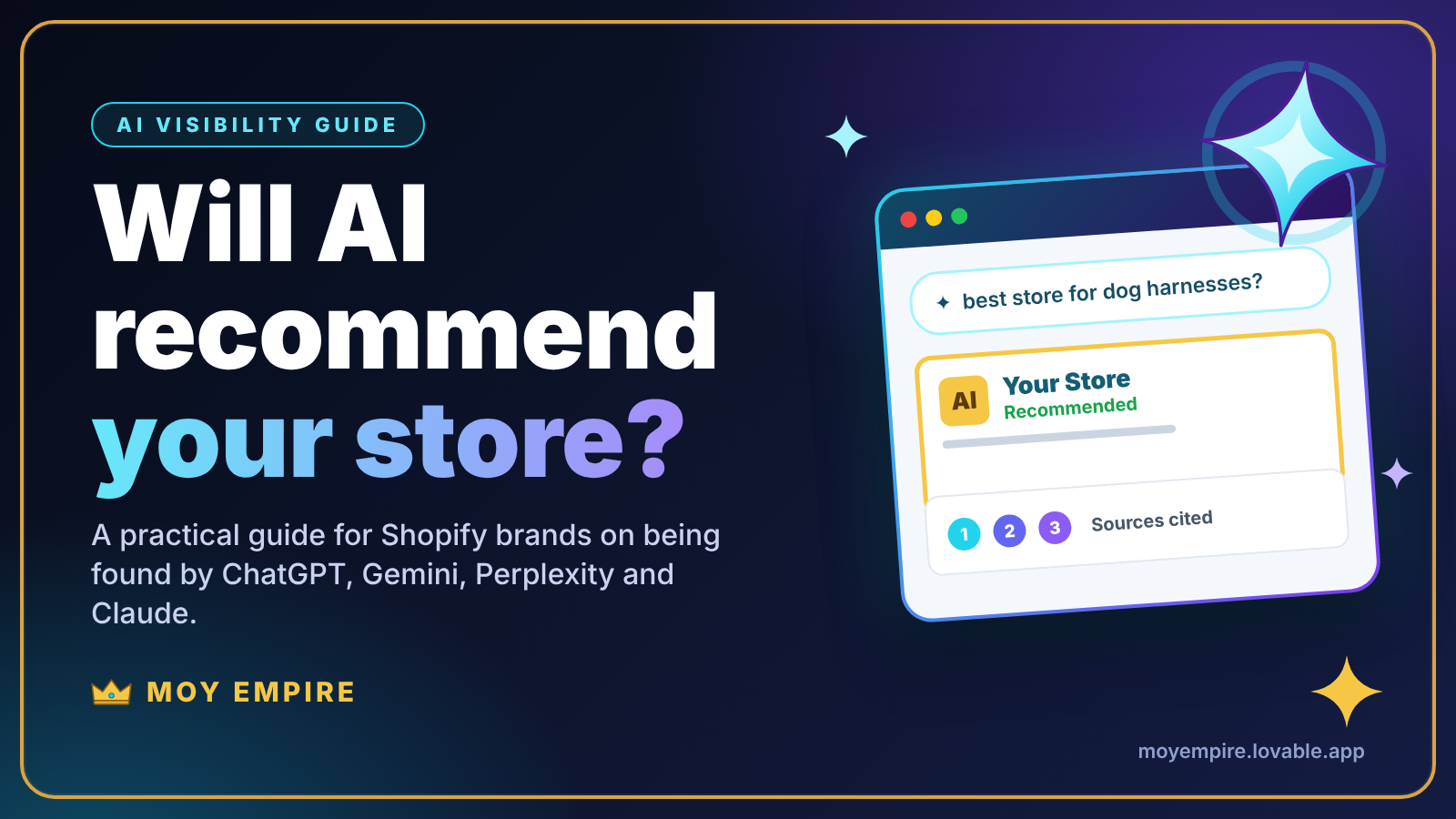
A shopper types a question into ChatGPT: "What is the best harness for a small dog that pulls?" Instead of ten blue links, they get one written answer that names two or three brands and cites a few sources. If your store is not one of them, you were never in the running.
This shift is early and uneven, and nobody can promise you a place in an AI answer. Anyone who does is guessing. What you can control is whether AI systems can reach your store, understand what you sell, and find reasons to trust you. That is what this guide covers, in plain language, with a checklist you can start on today.
How AI assistants decide which stores to mention
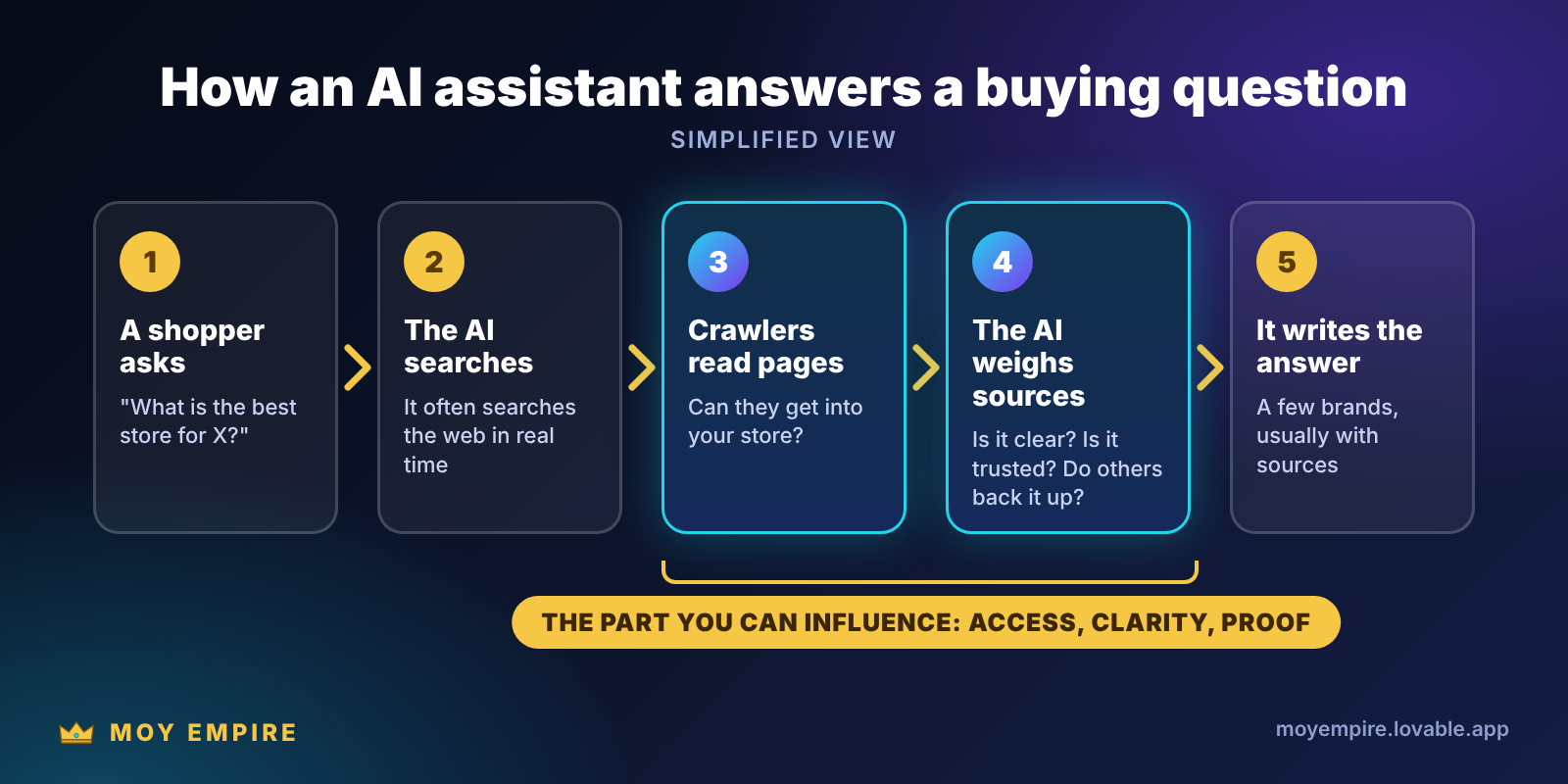
Most assistants answer in two ways. Sometimes they rely on what they learned during training. For questions about buying something, many of them also search the web, read a handful of pages and write an answer from what they found, usually with links to those sources.
That second path is the one a store owner can influence. It depends on three things: whether the AI's crawlers can get into your site, whether your pages are clear enough to be understood and quoted, and whether other places on the web back you up.
Step 1: Let the right bots in
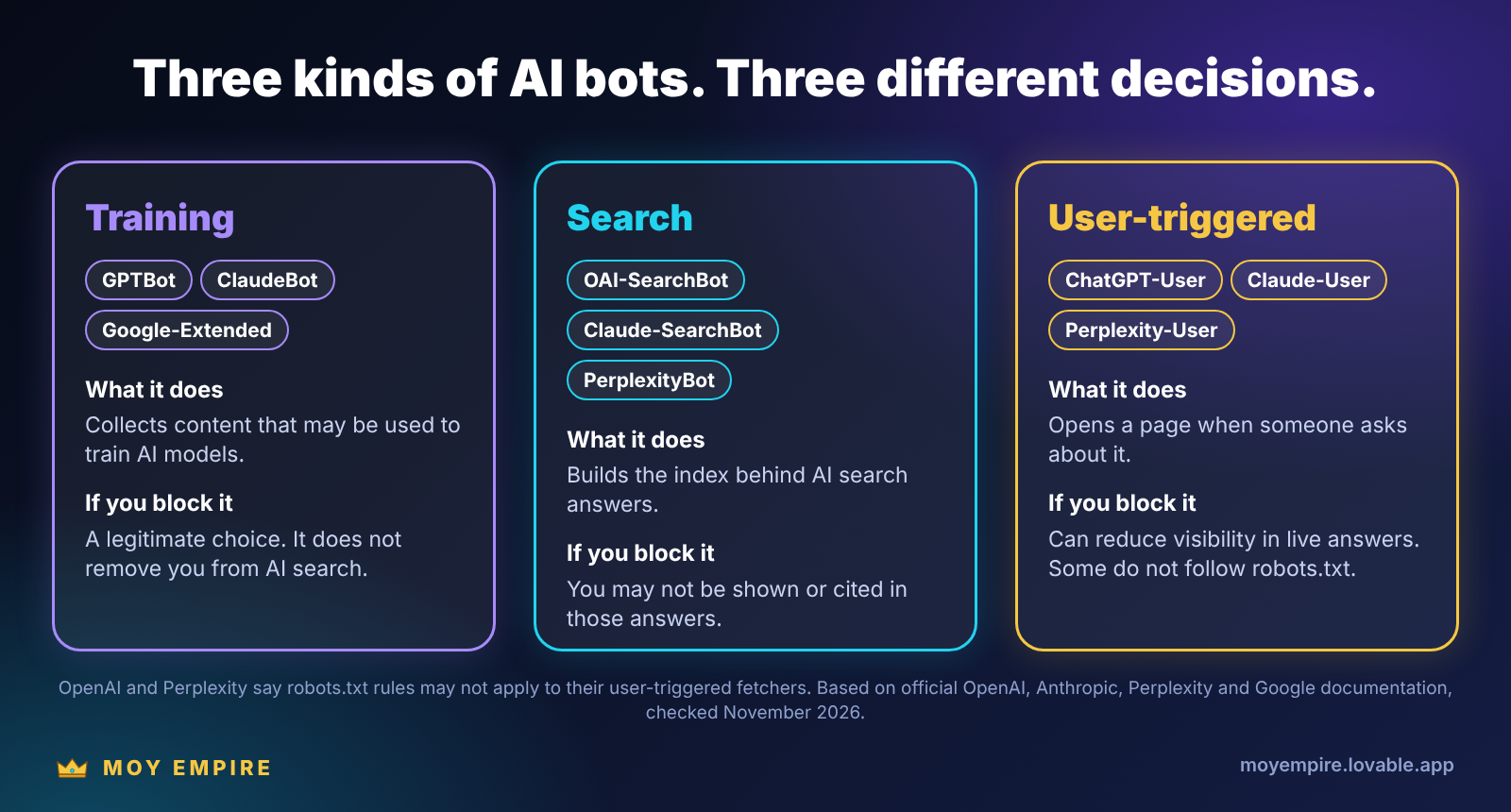
AI companies use different crawlers for different jobs, and the difference matters more than most store owners realise. There are three kinds:
Training crawlers collect content that may be used to train AI models. Examples are GPTBot (OpenAI) and ClaudeBot (Anthropic). Blocking them is a legitimate choice if you do not want your content used that way.
Search crawlers build the index behind AI search answers. Examples are OAI-SearchBot (ChatGPT search), Claude-SearchBot and PerplexityBot. Blocking these can keep you out of answers.
User-triggered fetchers open a page when someone asks about it. Examples are ChatGPT-User, Claude-User and Perplexity-User.
OpenAI says a site that opts out of OAI-SearchBot will not be shown in ChatGPT search answers, although it can still appear as a plain link. Anthropic says disabling Claude-SearchBot or Claude-User may reduce your visibility in Claude's search results. OpenAI and Perplexity both note that robots.txt rules may not apply to their user-triggered fetchers, so robots.txt is not a complete off switch for those. You can read each company's own explanation here: OpenAI, Anthropic and Perplexity.
Google works differently. Its AI Overviews and AI Mode are built on normal Google Search, so being crawlable and indexed by Googlebot is what counts there. Google-Extended is a separate control for how Google's AI models use your content, and Google says it does not affect how you appear in Search. Google's own page on AI features and your website is worth a read.
How to check your own store
Open yourstore.com/robots.txt in your browser.
Look for the bot names above. A line such as "Disallow: /" under a search crawler, or under "User-agent: *", is a red flag.
Remember that a security or CDN service in front of your store can block AI bots even when robots.txt allows them. Some of these services have one click settings that block AI crawlers, so check yours.
If something needs changing, on Shopify robots.txt is edited through a robots.txt.liquid theme file. Shopify recommends working with an expert on this one, so read its guide to editing robots.txt.liquid first. OpenAI says changes to its search settings can take about 24 hours to apply.
If you are not sure what you are looking at, ask someone before you edit this file. One wrong line can hide your whole store from Google. If you would like a second pair of eyes, our free store audit reads your public pages and flags technical and SEO problems for you.
An assistant can only recommend what it can reach, understand and trust.
Step 2: Put the important facts in plain text
Google's guidance for its AI features says to make sure important content is available as text, and that structured data matches what is visible on the page. The same logic is sensible for other assistants, because some AI crawlers may not run JavaScript at all.
So check a product page. Right click, choose "View page source", and search for your product description, your price and a customer review. If they are not in that raw source, they may only appear after scripts load, and some AI systems might never see them. Reviews that load through an app are a common culprit. Heavy apps also slow your pages down, which is what our Speed & Performance system is built to fix.
Step 3: Make every product easy to understand
An assistant can only recommend what it can describe. Vague titles and one line descriptions give it nothing to work with.
Write titles that say what the product is, not only the brand name or collection. "Padded no pull harness for small dogs" beats "Walker Pro".
Put the facts buyers ask about in the description: size, material, compatibility, care and what is in the box.
Keep price, availability, brand and product codes accurate in your Product structured data and in your Google Merchant Center feed, and make sure they match what shoppers see on the page. Our Technical SEO and Merchant Center & Product Feeds systems cover exactly this.
Say who you are. A clear About page, a consistent brand name and visible contact details help systems tell your store apart from a thousand lookalikes.
Google says no special markup is needed for its AI features. Structured data is still worth getting right, because it helps search engines understand your products and can make them eligible for rich results. Just never mark up something a shopper cannot see on the page. If your product pages need a proper rebuild, that is the job of our Website Design & Redesign system.
Step 4: Answer the questions buyers actually ask
AI answers are built from questions, so build your pages around them. Add short FAQ sections to product and collection pages, and write simple buying guides and comparisons for your main categories. Our SEO Strategy & Content system starts with exactly this kind of research. Good questions to answer:
"What size should I choose?"
"Is it safe for my use?"
"How long does delivery take to my country?"
"What is your return policy?"
Put the direct answer in the first sentence, then explain. Clear, specific, honest answers are easier to quote than marketing language, and they help human visitors just as much.
Step 5: Earn mentions outside your own site
A store that only talks about itself is a weak source. When an assistant answers a question like "is this store legit?", it looks for what others say. Genuine reviews on trusted platforms, listings in relevant directories, coverage from blogs and media, and real customers talking about you all help.
There are no shortcuts here. Fake reviews are banned or restricted in many countries, and they damage trust with people and platforms alike. Ask real customers after delivery, make it easy for them to reply, and show those reviews on your own pages too.
Step 6: Test, track and repeat
You can check your own visibility today, for free.
Write five questions a buyer in your category might ask. Include one about your brand ("Is [your store] legit?") and one comparing you with a competitor.
Ask each one in ChatGPT, Gemini, Perplexity and Claude.
Note whether your store is mentioned, which sources are cited and which competitors appear instead.
Repeat every month. Answers change between runs and between assistants, so look for trends, not single results.
In your analytics, watch for visits from sources such as chatgpt.com, perplexity.ai and gemini.google.com. Not every assistant passes a clear referrer, so treat the numbers as a minimum. Setting this up properly is part of our Analytics & Tracking system.
Mistakes to avoid
Blocking every AI bot in a panic. That includes the search crawlers that could send you buyers.
Buying "guaranteed AI rankings". No one controls AI answers, and results vary by question and over time.
Chasing tricks. Google's guidance says no special markup or file is needed for its AI features, so the work is mostly the fundamentals above.
Forgetting the visitors who do arrive. A shopper who comes from an AI answer still needs a fast, clear store that makes buying easy. That is where Conversion Rate Optimization pays off.
Where to start
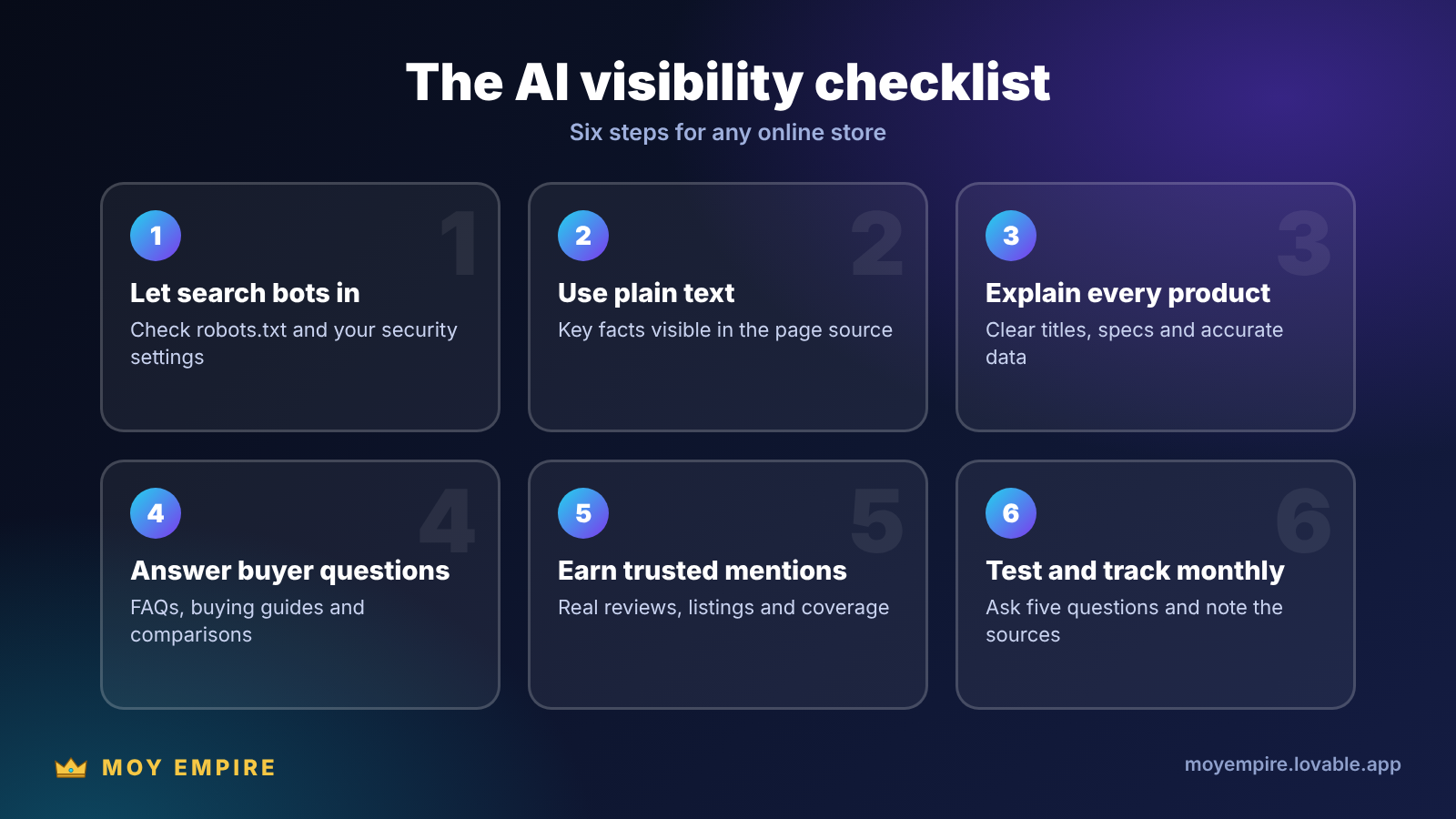
If this feels like a lot, start small. Check your robots.txt, look at one product page's source, and run the five question test. That alone shows you where you stand.
When you want help with the fixing, our AI & GEO Optimization system works on everything in this guide, alongside the technical, content and speed work above. You can request a quote and choose the expert and payment model that suit you, or see how we charge first. Not sure where your store stands? Run the free audit and we will show you.
AI products change quickly. The crawler details in this guide reflect the official documentation we checked in November 2026, so check the linked pages for updates.